Document instruments and questionnaires
TRR379 uses the knowledge pool to document research instruments and questionnaires, and to provide standardized identifiers that can be used when harmonizing data across sites.
You can document an instrument at different levels. In particular, questionnaires can be documented as:
- the original instrument or questionnaire,
- a TRR379-specific version or variant,
- individual questionnaire items, and
- where useful, site-specific versions of an instrument or item.
These records can be linked to one another to expose the relationships between the original instrument, TRR379 versions, and individual questionnaire items.
You do not need to complete every level or every metadata field at once. Instrument documentation is an iterative process. A basic record with a clear identifier and name is already useful and can be expanded later.
Document an instrument
If you have an instrument that is used in TRR379, start by creating an Instrument record in the knowledge pool. At a minimum, give the instrument a meaningful name and a persistent identifier.
If you know the description, instrument type, source publication, or relationships to other records, add those as well. You can always add additional information later.
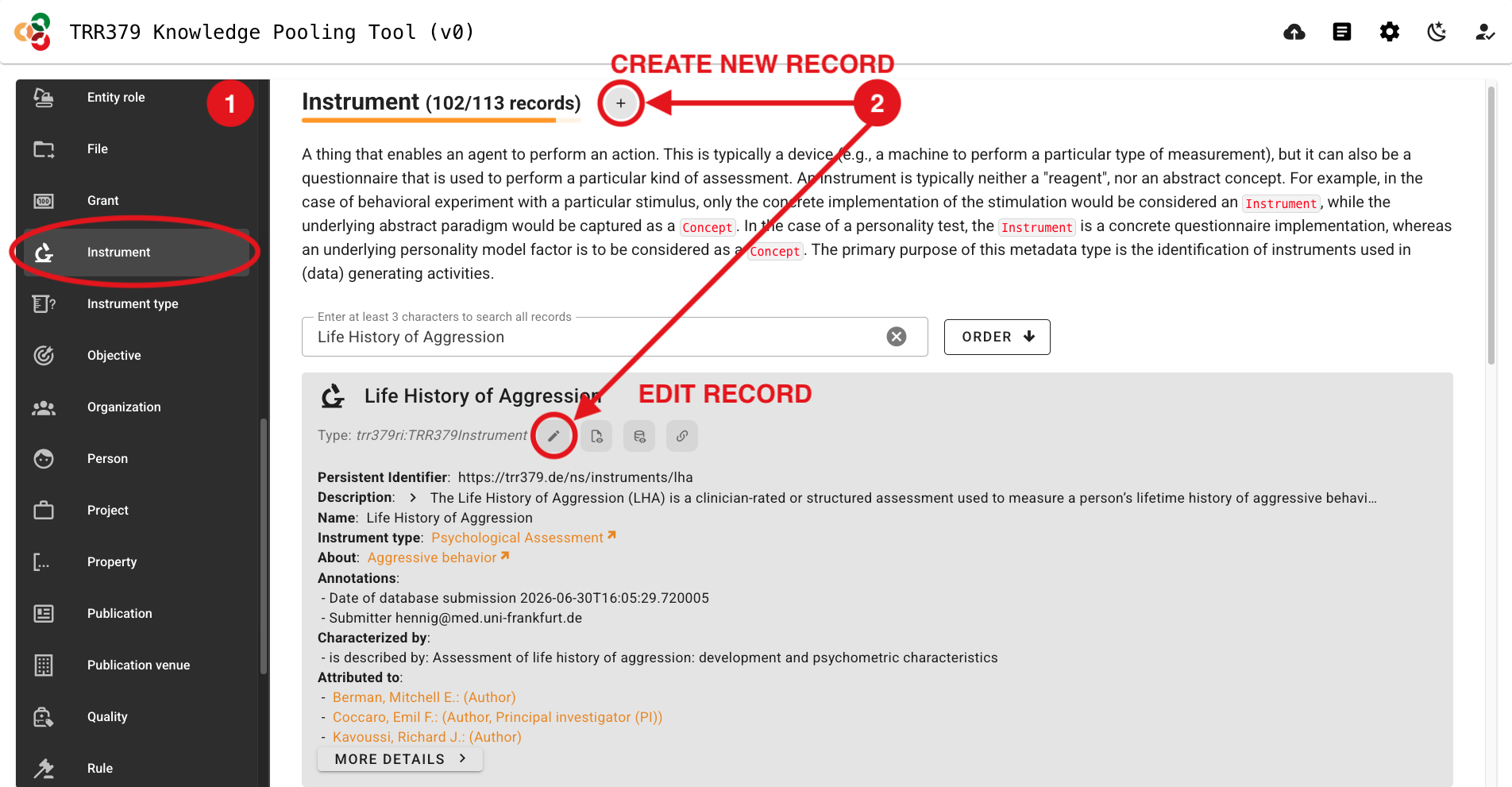
Navigate to the knowledge pooling tool.
Select the “Instrument” Data Type on the left side of the page.
Create a new record by clicking the
+(plus) button, or edit an existing record by clicking the pencil icon.
- Click the “Edit PID manually” button (pencil icon to the right of “Persistent identifier”) and edit the random identifer according to the following naming convention:
Click the “Persistent identifer” pencil icon again to lock the PID editor.
Important information about PIDs
PIDs should be human-readable and should be sufficient for a knowledgeable human to understand what content is likely contained in that record.
These PIDs will end up as column header values in pertinent data tables.
The prefix, trr379: expands to https://trr379.de/ns/, and can be left out in any TRR379 internal usage.
Within the scope of a data table, the instrument identifier can be further shorted by stripping trr379:instruments/, leaving, for example, lha-trr379-q01-item1 as an item identifier (e.g., as a column header value).
- Within the “Name” box, enter a human-readable name for the content in your Instrument record. As is relevant, this might take the format: <original_instrument_name>, <subscale_name> (<trr379_variant>), or for a specific questionnaire item it would simply be the text for that question.
- Add whatever metadata you have available (see also Relationships and Additional metadata).
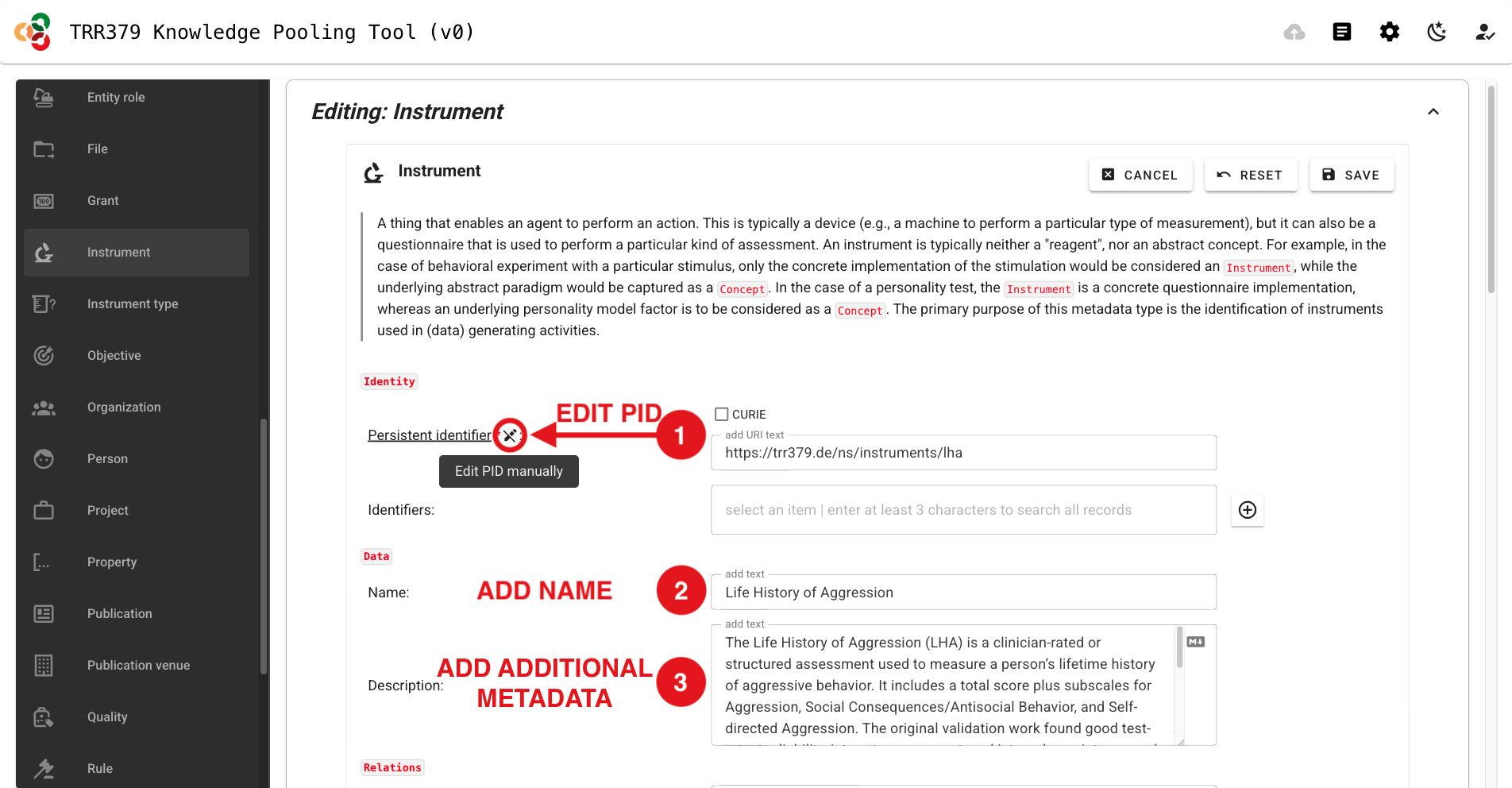
- Once all relevant information has been entered, click “SAVE” in the top-right corner to save the Instrument record.
- Click the “Submit” button (cloud icon, top-right), which should show a green notification dot to indicate changes are ready to be submitted.
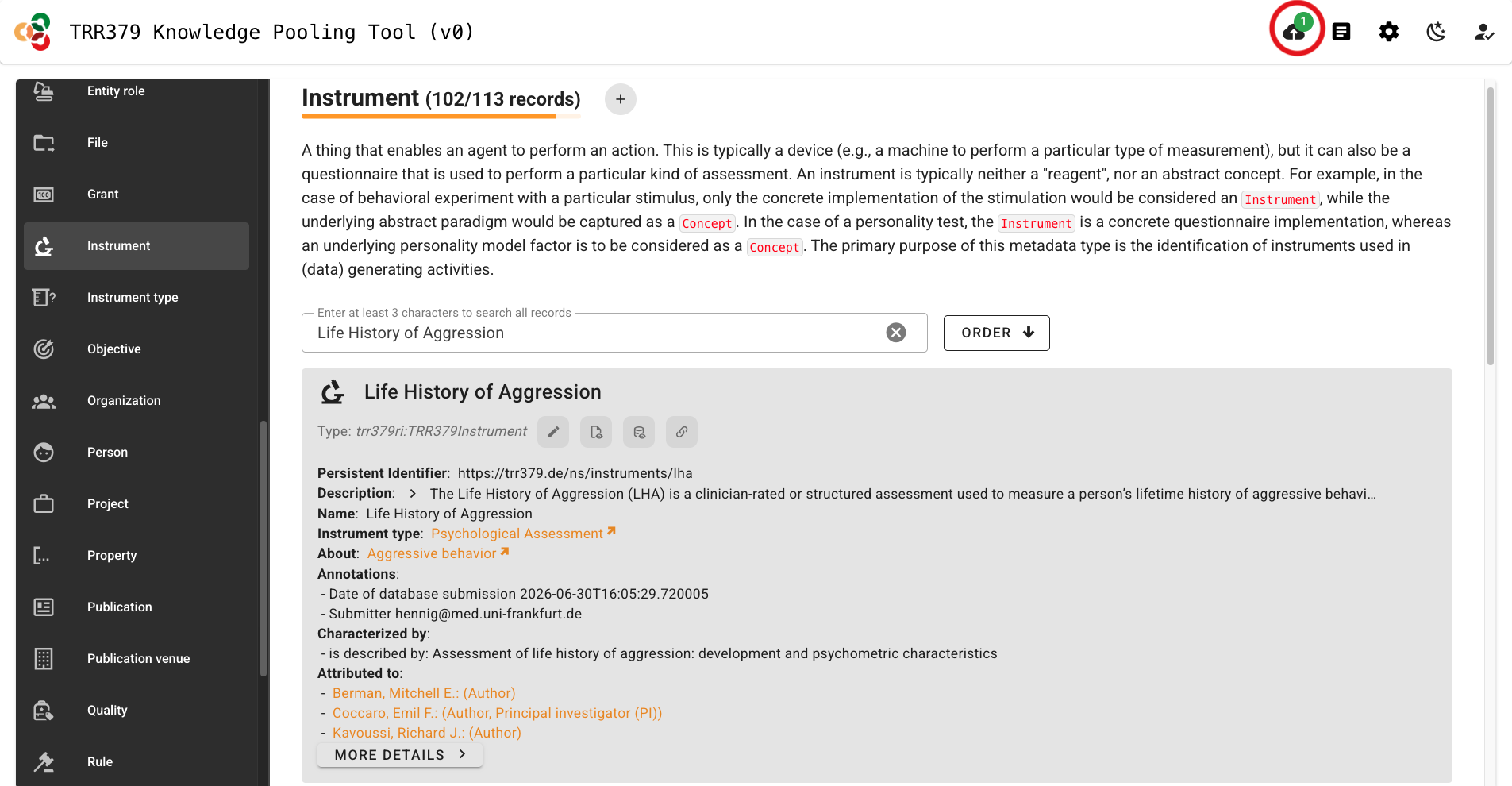
Important note about saving versus submitting
The pool has two separate actions: saving and submitting. Saving stores your work in the browser only! It does not submit the record to the server for use by the consortium workflows. To submit, click the Submit button (cloud icon, top-right corner) when there is a green notification dot indicating records are ready for submission. Do not close your browser tab before submitting, or your data will be lost.
- The interface will list all records you are about to submit. You should see your Instrument record here.
- Click “Submit”. A confirmation message will appear when submission is successful. If an error occurs, note the message and retry. If it persists, you may wish to review common error messages or reach out for help via the resources in the Support page.
Tip
At a minimum:
- Use a meaningful, human-readable PID.
- Give the record a meaningful name.
- Save and submit the record.
Everything after that is a (welcomed) bonus.
Document a questionnaire
Questionnaires can be represented at several levels.
Original questionnaire
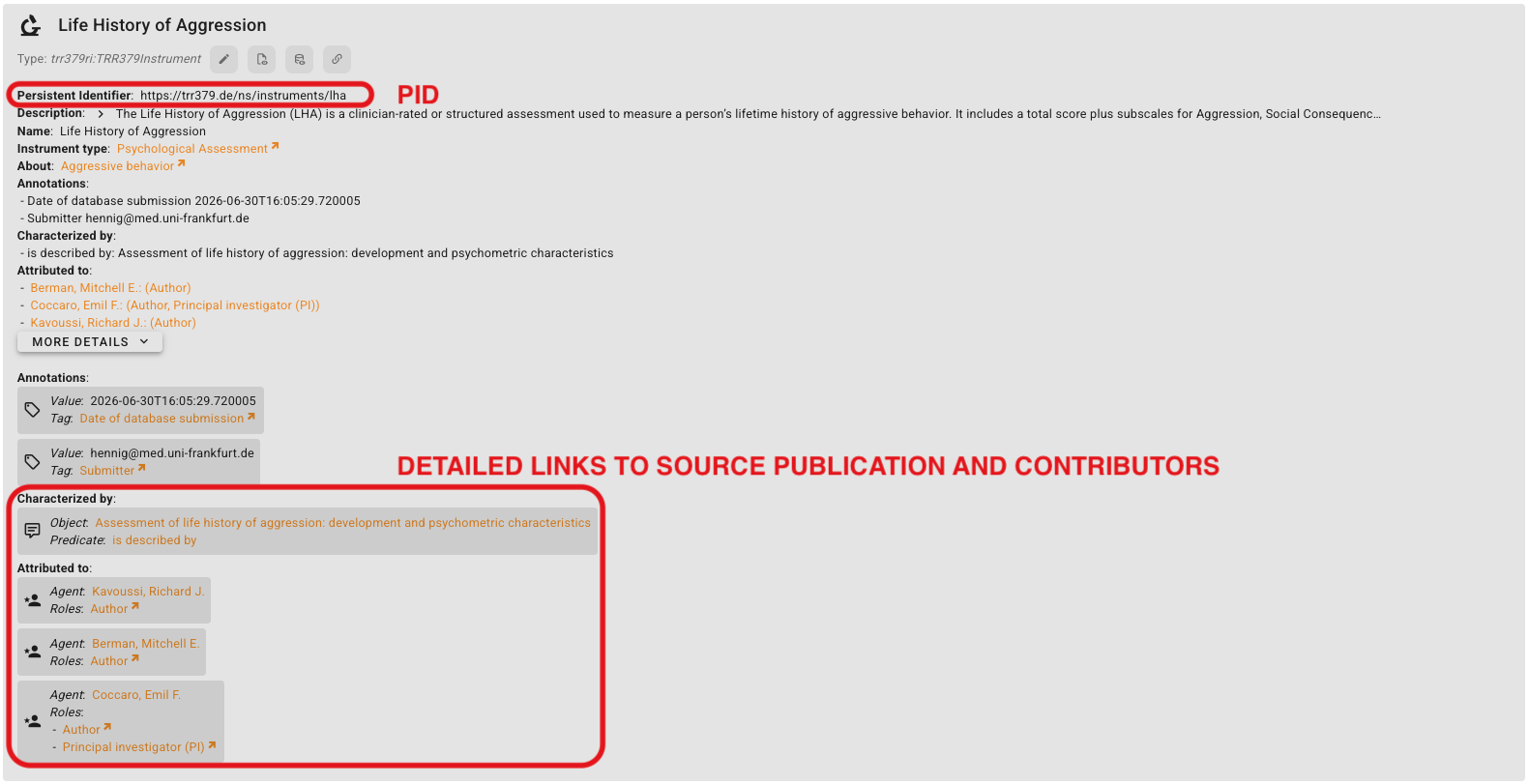
If the original instrument/questionnaire is known, create a record for it, give it a PID in the format, trr379:instruments/<original_instrument> (e.g., trr379:instruments/lha) and, where possible, link it to its source publication or other canonical documentation.
TRR379 questionnaire variant
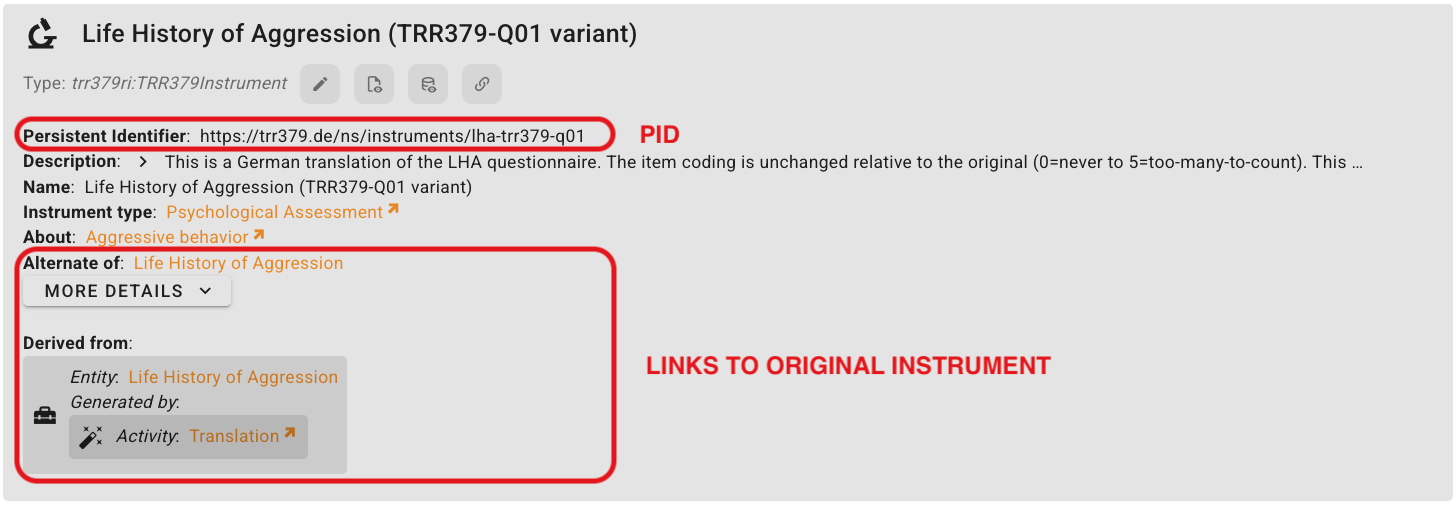
TRR379-specific versions take on the PID format, trr379:instruments/<original_instrument>-<trr379_variant_and_version> (e.g., trr379:instruments/lha-trr379-q01).
This is where you should document meaninful differences from the original questionnaire, including:
- translation
- modified wording
- different item selection
- coding differences
- particular TRR379 projects using the variant
Questionnaire items
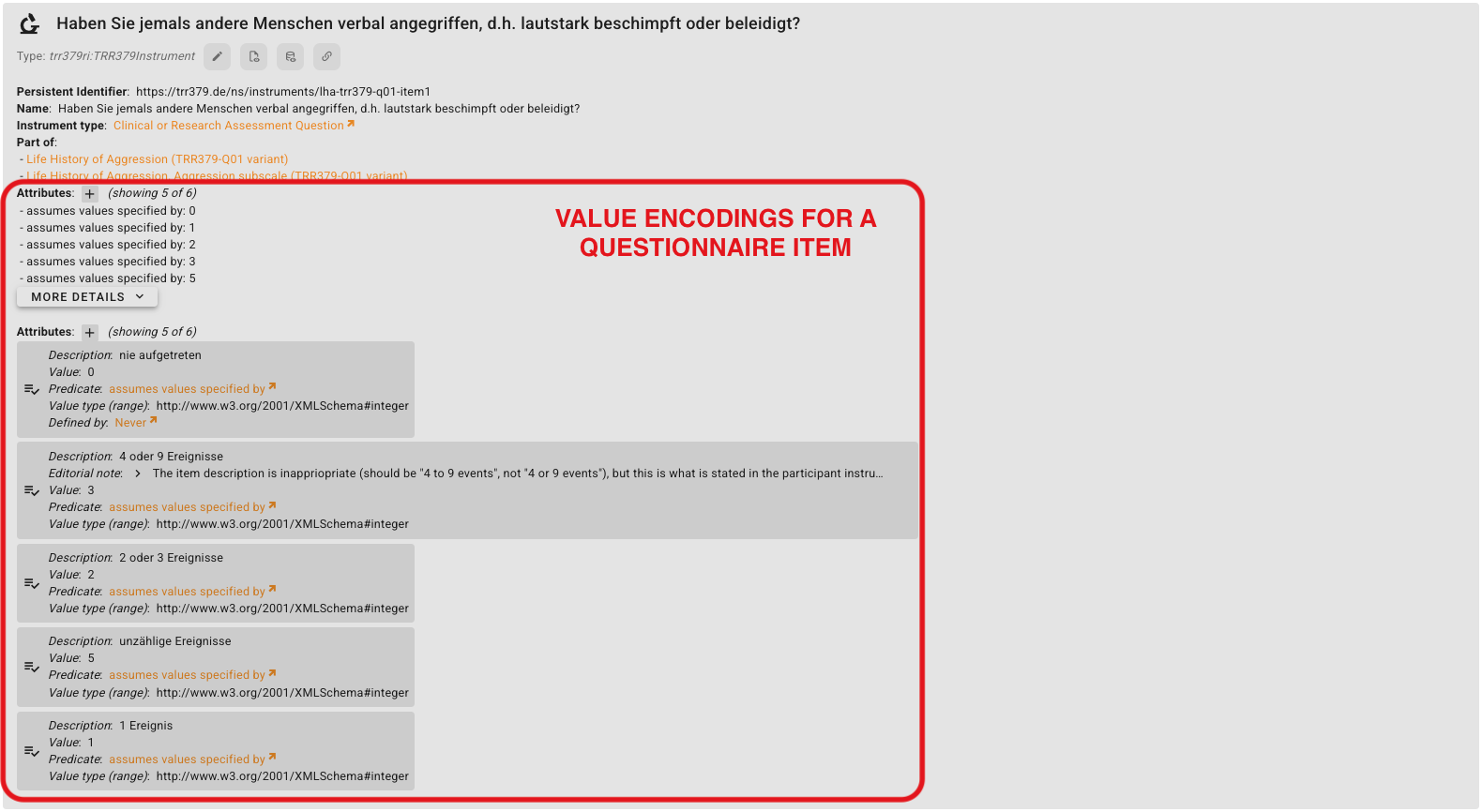
If the individual questionnaire subscales and/or items (i.e., questions) are known, create a separate Instrument record for each item. For LHA, for example:
Item-level identifiers allow sites to refer to the same questionnaire items consistently when preparing standardized datasets.
For each item, be sure to include:
- Name: the actual question/item text
part of: the questionnaire/variant it belongs to

When available, this also where value encodings for answer options may be recorded.
Relationships
Relationships are useful when you know how the record relates to another instrument or questionnaire.
| Relationship | Use when… | Example |
|---|---|---|
part of | An item/subscale belongs to a questionnaire | There are 11 individual items that are part of the LHA |
alternate of | Two records represent alternative versions of the same instrument | A TRR379 variant may be an alternate of the original instrument |
derived from | A version was created from an earlier/original instrument | A TRR379 questionanire might be derived from the original instrument through the “Activity”, “Translation” |
revision of | A new version revises an earlier version | A second version of a TRR379 questionnaire is a revision of the first version of that TRR379 questionnaire |
Additional metadata
For instruments to live up to their fullest metadata potential, proceed to add relevant information as you are able. For example: