Generate an access token on the Hub
Visit the TRR379 collaboration hub and log in with your credentials. If you do not have an account, see instructions on how to get a Hub account and log in and to configure your permissions.
Click your avatar in the top-right corner, and navigate to Settings > Applications.
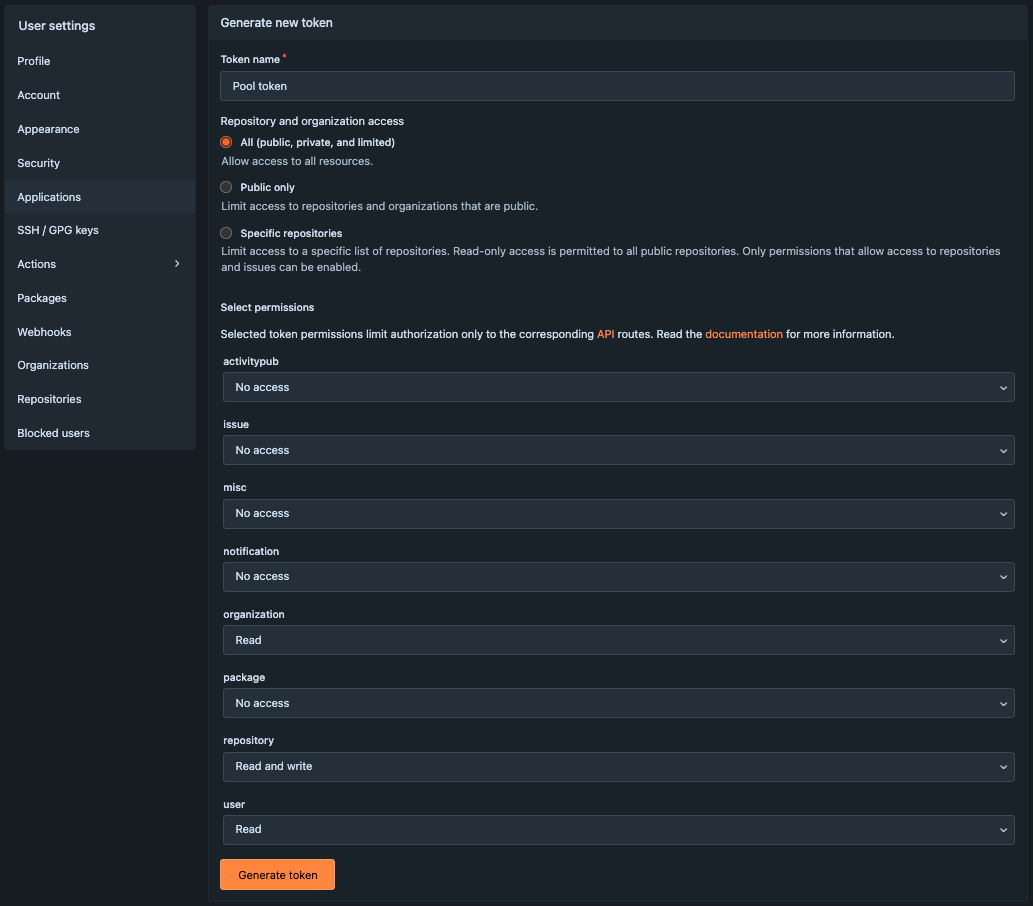
Under Access tokens click New access token, and fill in the form:
- Give the token a recognizable name (e.g., “Pool token”)
- Choose
Allfor Repository and organization access - Under Select permissions, enable:
organization: Read,repository: Read and write, anduser: Read.
Click Generate token.
- The token appears as a long string. Copy the generated value immediately, and store it safely. It disappears after refreshing.
Important
Treat your token like a password; do not share it publicly. Once generated, the same token can be reused for all future sessions.