Subsections of Getting Started
Accounts & Access
The TRR379 collaboration platform (or “Hub” for short) is the platform for code and large dataset collaboration, and where access tokens for the knowledge pooling tool are generated. The Hub runs an enhanced version of the Forgejo software.
Access to the knowledge pooling tool is managed using OAuth 2.0 (and/or tokens) and Forgejo teams. Forgejo-based authentication ensures that permissions are linked to existing institutional or project accounts, and allows for identification of users interacting with the API or web UI. Only users logged in using an associated Hub account or using a valid access token can add or edit records.
Follow the guides below to create and configure your Hub account with appropriate permissions.
Subsections of Accounts & Access
Get a Hub account and log in
An account is required for working with the TRR379 collaboration platform on Forgejo. You can sign in using “GitLab Aachen” Single Sign-On (SSO) (preferred) or request an account manually.
Single sign-on using GitLab Aachen
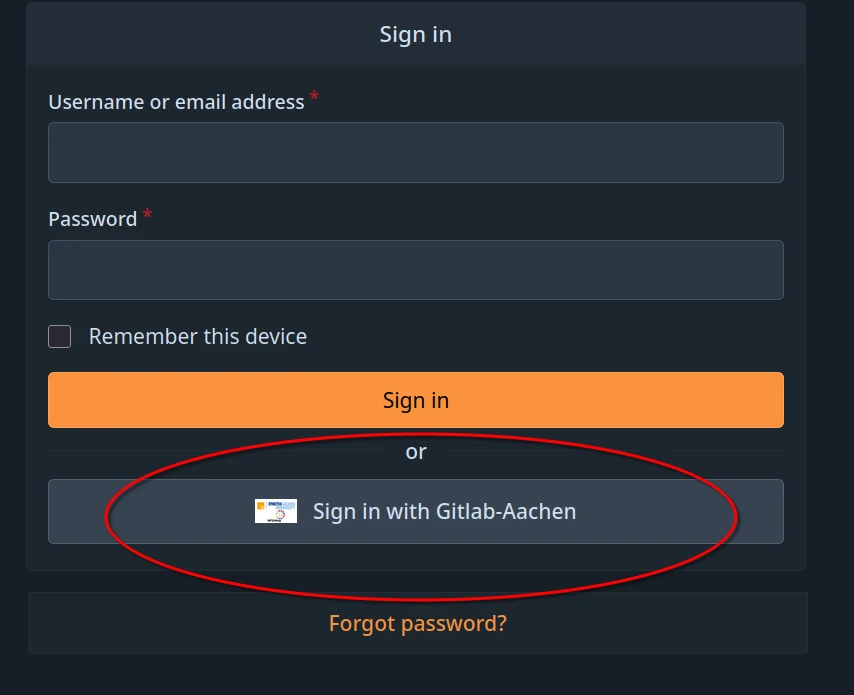
- Visit the TRR379 collaboration hub and click Sign in with Gitlab-Aachen on the login page.
- Log in using your preferred identity provider (i.e., GitHub or your affiliated organization via DFN-AAI SSO) and follow the on-screen instructions to activate your account.
- Visit the confirmation link that will be sent to the email address associated with the account.
Important
If you are using a private account to register (e.g., GitHub, Google, etc.), please email trr379@lists.fz-juelich.de after you registered, explaining your institutional affiliation and relationship with TRR379. If anyhow possible, institutional emails/accounts should be used.
Manual request
In order to obtain an account manually, email trr379@lists.fz-juelich.de. Please email from an institutional email, and CC the respective TRR379 project lead. In the email, mention any projects and/or organizations you require read or write access to.
Note
A manual request will not allow for using your institutional Single Sign-On (SSO).
Set up your Hub account permissions
To access and report records using the knowledge pooling tool, you must have read and write access to the protected collection on the TRR379 collaboration platform.
You must be a member of both:
- To confirm your team memberships, sign into the Hub (see also Get a Hub account and log in).
- Navigate to both of the following links to view the team members:
- If you are unable to see a repository or team member list, or if your user name is not listed, please proceed to request access.
Communication Channels
This page provides an overview of how you can engage with the TRR379 community. Follow the links below for details on each platform and how you can get set up.
Stay updated
- The main website is the public face of the consortium and its canonical reference system. It is updated on a regular basis, and you should check it frequently for news, announcements, current project and contributor listings, and up-to-date publication overviews.
- Calendars (internal and public) are hosted on a dedicated CalDAV server.
- The @angry.brains Instagram account introduces the TRR379’s research topics and creates an opportunity to engage with a broad audience.
Exchange information and get feedback
- The TRR379 space on Matrix is an informal place to connect with other members, exchange information, and get faster feedback.
- The
all/statusrepository on the Hub is a place to collect all issues related to TRR379 data integration. - There is a bi-weekly office hours for TRR379 members to connect synchronously. For more information on timing and how to join, see the Office Hours section on the Support page.
Report research activity
- The knowledge pooling tool is the central collection point for research activity across all TRR379 partner sites and projects. When you submit something here, it automatically flows into the consortium website, progress reports, and other outputs.
Ask questions and get help
In addition to the communication channels for knowledge sharing listed above, you can visit the Support section of the documentation site for more information on how to get help.
Fulfilling RTG Requirements
All PhD students funded by the TRR379 participate in its Research Training Group (RTG).
This involves certain obligations, of which you can find an overview below.
Note
The following links require you to log in to the TRR379’s GitLab space for the RTG.
Participation
- internal meetings
- attendance via Zoom (in library | Aachen only)
- present own work twice (once | medical students only)
- lecture series
- attendance via Zoom (on-site option for lecture location)
- chair one session (optional | medical students only)
- workshops
- attend obligatory + 3 (1 | medical students only) voluntary
Note of absence requirement
Send a note of absence (via email) in case of illness | traveling for work | holidays | non-self-arranged meetings*
Documentation via Gitlab
- upload CV (+ motivation letter | medical students only)
- submit thesis proposal (use template)
- sign supervision agreement
- register as member
- insert link to shared logbook (use template)
- plan + log event participation
- list thesis advisory committee meetings
- plan lab visits
- register for the annual RTG retreat
- list attended conferences