Support

The Q02 project is happy to assist with any questions about the consortium’s digital infrastructure or related to research data management workflows. Please feel free to use the following channels, depending on the problems you are encountering.

DataLad resources

DataLad is extensively documented in a dedicated DataLad Handbook that is targeting both novice and experienced users. The DataLad YouTube channel provides videos on conceptual overviews, detailed tutorials, and technical talks on the software. The materials from workshops are available online. The Knowledge Base from the Psychoinformatics group at FZJ provides a collection of particular solutions or outcomes of past technical investigations, presented as short documents, which are too narrow-scoped to fit elsewhere.

Knowledge pool tips and tricks

To assist with common issues you may encounter while working with the knowledge pooling tool, we have compiled some tips and common errors related to the pool.

Matrix

The TRR379 matrix space is an informal chat platform to connect with other consortium members, ask questions, and exchange information.

Office hours

TRR379-specific issues

There is an open office hour on research data management for TRR379 members to meet synchronously every other Monday at 13:00 CE(S)T. To join:

  • Visit the RDM room in the TRR379 matrix space and click continue.
  • The Jitsi meeting link is in the channel description (info icon in the top-right corner).

DataLad (and beyond)

There are virtual office hours every Monday at 14:00 CE(S)T. This is a great opportunity to discuss problems and solutions with the members of the Psychoinformatics Group at FZJ. To join:

  • Follow this link to the public matrix chat room and click continue.
  • The link to the Jitsi meeting will be in the channel description, but you are welcome to ask questions in the chat at any time.
  • If there are changes regarding the office hour they are communicated in the matrix chat room.

Hub issues

For specific problems and requests, opening a new issue in the appropriate repository on the TRR379 Hub is the best way to create a recorded history, particularly when lengthier discussions and/or multiple viewpoints might be necessary. In particular, the all/status repository’s issue tracker is a good place to report issues.

E-mail

trr379@lists.fz-juelich.de is the consortium mailing list for any general or specific (e.g., admin-level and account-related) issues. It is monitored by a subset of members of the Q02 project team based at Forschungszentrum Jülich, led by Michael Hanke.
Subsections of Support

Tips for the Knowledge Pool

To assist with common issues you may encounter while working with the knowledge pooling tool, and more specifically with its web UI, we have compiled some tips and common errors related to the pool.

Tips

  • It is highly recommended to use the knowledge pool’s web UI with a desktop browser; the form offers rich contextual information that is hard to access on mobile devices.
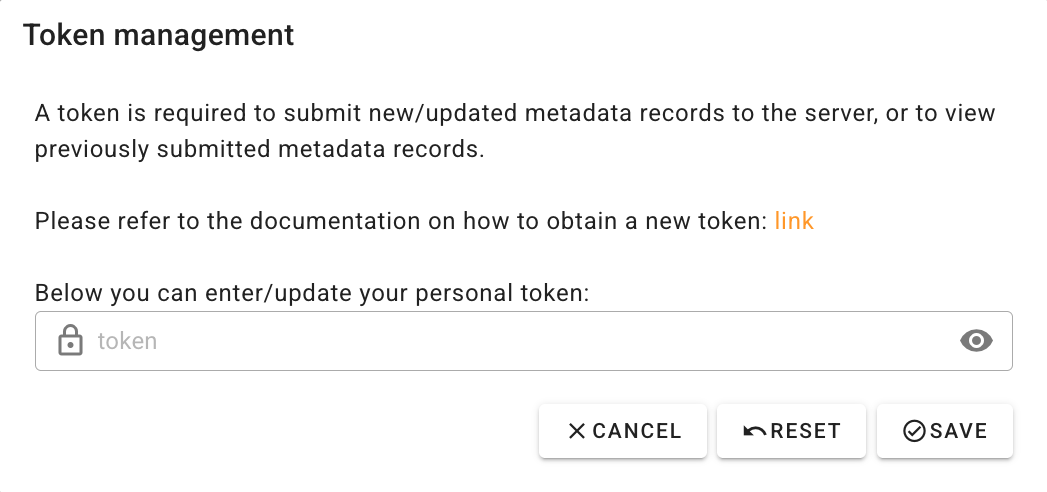
  • Submitting records will only be possible using a valid access token; the token can be entered by navigating to “Settings” (gear icon) and then pasting your token in the “TOKENS” tab.
  • When editing records, you can hover your mouse pointer over field labels to display help text describing expected values and controlled vocabularies.
  • For some fields (e.g., journal name when filling out a Publication record), one or more choices have to be selected. The selector offers type-ahead search of choices. When searching:
    • Try entering full names instead of abbreviations.
    • If an item is not found in one language, try searching its English version.
    • Some items might also be searchable by a persistent identifier (e.g., ORCID, DOI, ISSN).
    • Wait a few seconds for choices to populate before creating a new record; search results may take time to load.
  • Submitting metadata involves two different actions: local saves and submitting to the server. Note that saving only stores information in the local browser session; you must submit your changes (using the cloud icon in the top-right corner) to make your records visible to consortium workflows.

Common errors

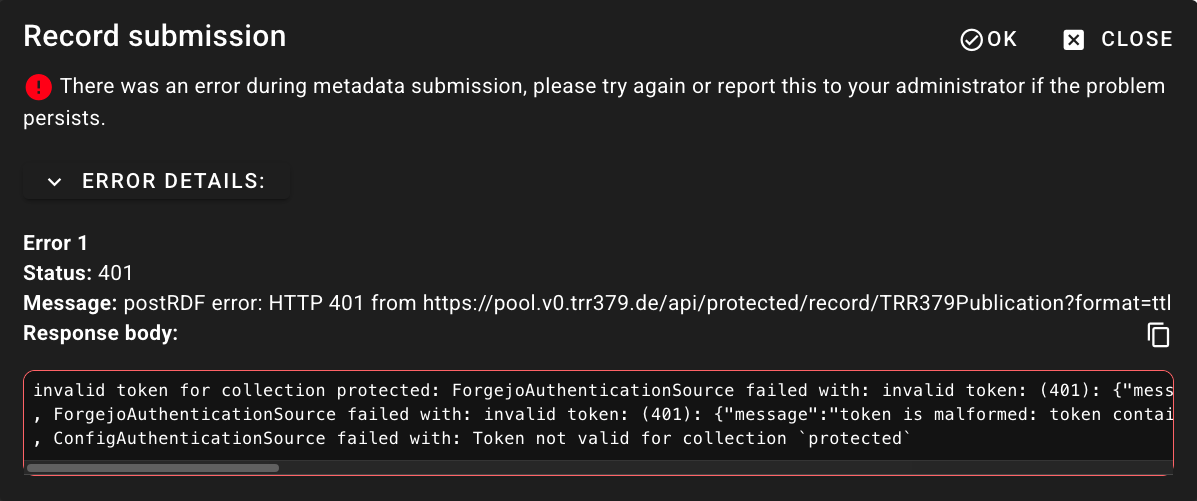
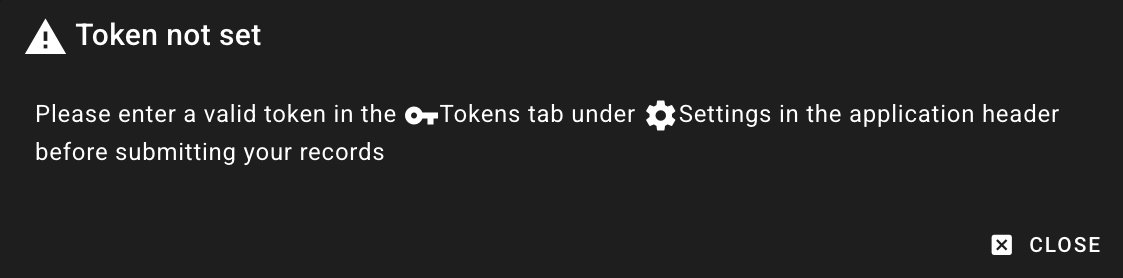
  • Authorization issues: If the access token you are providing is incorrect or does not have appropriate permissions, the interface may display one or more of the following errors during metadata retrieval or submission:

Screenshot of the “Token not set” error message Screenshot of the “Token not set” error message

Screenshot of the token prompt displaying a message about token requirements Screenshot of the token prompt displaying a message about token requirements

Screenshot of an invalid token error message displayed during a record submission attempt Screenshot of an invalid token error message displayed during a record submission attempt

  • Incomplete information: If a metadata record is missing required information, you will not be able to save it. Required fields - highlighted with a red asterisk - and an warning sign will alert you to this.
  • Internal errors: If there is an unexpected error during metadata submission, the submission interface will report technical information. Please contact the Q02 project team and copy the entire error message.